
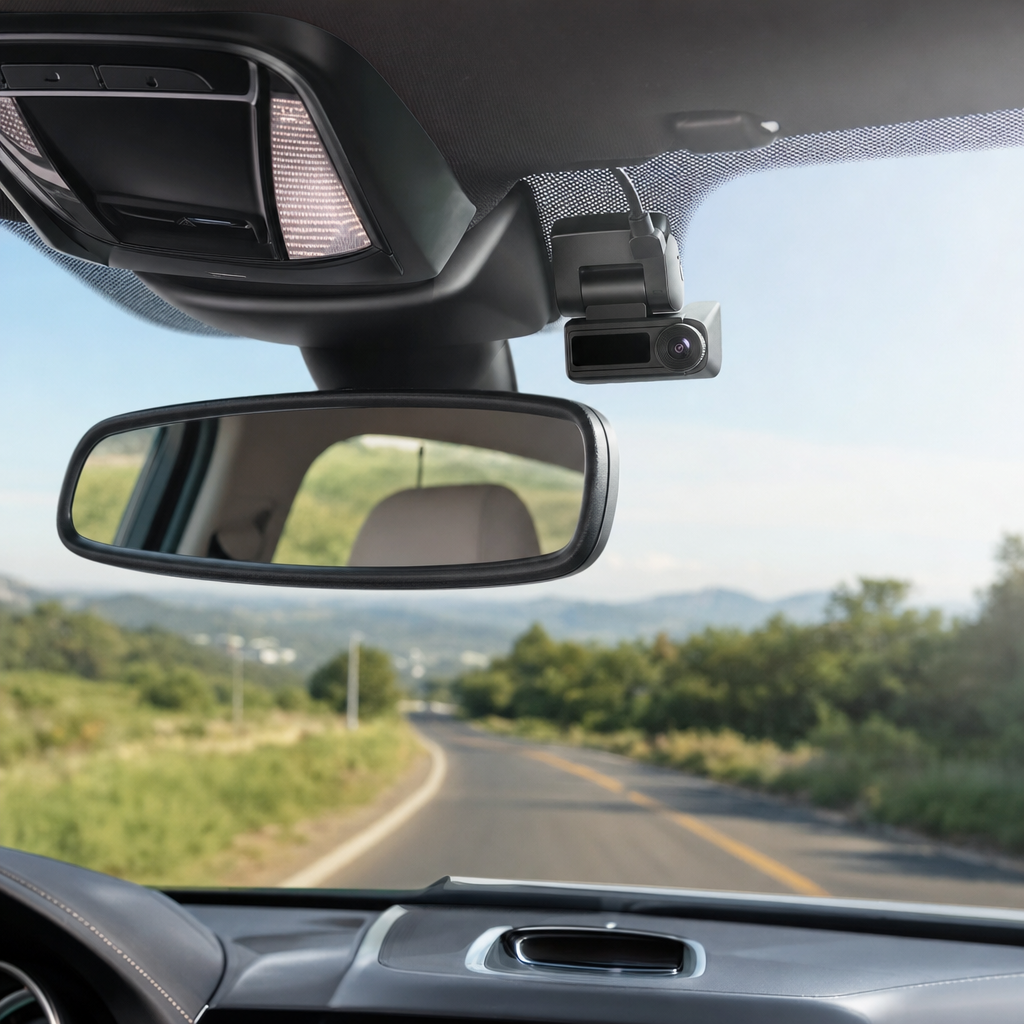
Understanding the Role of Modern Dash Cams
When searching for the best dash cam, most drivers are looking for peace of mind on the road rather than fancy gadgets. A dashboard camera is a small digital video recorder mounted to your windshield or dashboard that continuously captures the view through your front or rear windows while the vehicle is running. These devices have evolved significantly over the past decade, transforming from basic hobbyist toys into sophisticated safety tools relied upon by everyday commuters, commercial truck drivers, and rideshare operators alike.
The primary purpose of installing a dash camera is to create an objective, undeniable visual record of events that occur while you are driving or parked. In the unfortunate event of a traffic collision, insurance disputes, or unexpected roadside incidents, having clear video evidence can dramatically simplify the claims process. Insurance companies increasingly accept dash cam footage to determine liability, potentially saving motorists from premium hikes and costly legal battles that traditionally relied entirely on conflicting verbal testimonies from the involved drivers.
Beyond accident documentation, modern cameras serve multiple secondary functions that enhance overall vehicle ownership. Many models feature parking surveillance modes that monitor your car while it is left unattended in public lots or on residential streets, capturing hit-and-run drivers or attempted break-ins. Additionally, scenic drivers often use these cameras to record memorable road trips through winding mountain passes or coastal highways, downloading the MP4 video files directly to their smartphones or computers for easy sharing with friends and family.
Key Video Quality Specifications and Lens Technology
Evaluating video resolution is the most critical step when researching the best dash cam options available on the market today. While standard definition and basic 720p cameras were once commonplace, they frequently failed to capture vital details like distant license plates or fast-moving street signs. Today, true high-definition 1080p is considered the absolute baseline for acceptable clarity, though many discerning vehicle owners now prefer 2K or 4K ultra-high-definition sensors to ensure maximum sharpness during playback and analysis.
Sensor quality and frame rates are just as important as pixel counts when capturing fast motion on the highway. Look for devices equipped with reputable sensors, such as those manufactured by Sony, which excel at gathering light in challenging environments. A higher frame rate, such as 60 frames per second at 1080p, provides smoother motion capture and makes it much easier to freeze-frame a video to read a license plate of an errant driver speeding past your vehicle in an adjacent lane.
Field of view and lens construction also dictate how much of the roadway the camera successfully records. Most quality cameras utilize wide-angle lenses ranging from 130 to 170 degrees, spanning multiple traffic lanes and adjacent sidewalks without introducing excessive fisheye distortion at the edges. Furthermore, pay attention to wide dynamic range technology, which balances high-contrast lighting scenarios—such as driving directly into a glaring sunset or exiting a dark highway tunnel into bright midday sunlight—preventing important details from washing out.
Evaluating Storage, Power Options, and Mounting Styles
Managing recorded footage requires reliable storage, as dash cams constantly write and rewrite over old data using loop recording technology. Because these devices demand continuous write cycles, you must use high-endurance microSD cards specifically rated for security cameras rather than standard consumer memory cards that can quickly fail under constant thermal and operational stress. Most cameras support cards up to 128GB or 256GB, providing several hours of high-definition recording history before the device begins automatically overwriting the oldest unprotected video files.
Power delivery is another crucial consideration that impacts how seamlessly your camera integrates into your vehicle’s interior. Standard setups plug directly into the vehicle’s 12-volt auxiliary power outlet or USB port, powering on and off automatically with the ignition switch. However, for drivers who want to utilize parking mode features, a hardwire kit connected directly to the vehicle fuse box is necessary. Hardwiring supplies continuous, low-voltage protected power while preventing the car battery from completely draining during extended periods of vehicle inactivity.
Physical design and mounting mechanisms dictate how discreetly the camera sits on your windshield and how securely it stays attached. Suction cup mounts are portable and easy to adjust, but they can occasionally lose grip during extreme temperature swings in summer or winter. Adhesive mount brackets using strong automotive tape offer a much more permanent, low-profile placement that sits neatly behind the rearview mirror, keeping the device entirely out of the driver’s direct line of sight.
Advanced Features: Night Vision, GPS, and Connectivity
Driving after dark introduces unique visibility challenges that separate basic hardware from the best dash cam contenders. Advanced night vision capabilities rely on specialized infrared sensors, large physical aperture lenses, and software algorithms designed to boost low-light environments without introducing overwhelming digital noise. This technology ensures that license plates, pedestrians, and dark-colored vehicles remain visible even when traveling down unlit rural roads or poorly illuminated city streets during late-night commutes.
Built-in GPS tracking adds another layer of valuable documentation by automatically logging your exact vehicle speed and precise geographic coordinates directly onto the video file. This telemetry data provides irrefutable proof of how fast you were traveling and where an incident occurred, which can be invaluable when filing insurance reports. While some manufacturers integrate GPS directly into the main camera body, others incorporate the tracking chip inside the mounting bracket for a cleaner aesthetic and easier cable management.
Modern connectivity options have transformed how users interact with their dashboard cameras on a daily basis. Instead of having to remove tiny memory cards and plug them into a home computer, Wi-Fi-enabled cameras allow you to connect your smartphone directly to the device. Using dedicated companion apps available for iOS and Android, drivers can instantly view live feeds, download video clips to their photo libraries, adjust camera menu settings, and share crucial evidence with authorities right from the roadside.
Practical Guidance for Installation and Maintenance
Proper installation ensures your device functions reliably and complies with local legal regulations regarding windshield obstructions. Before permanently adhering any mount to the glass, use the live view feature on your smartphone app or built-in screen to verify the camera angle, ensuring the horizon is level and the hood of your car occupies only a small portion of the bottom frame. Clean the glass thoroughly with isopropyl alcohol to remove oils and residue, guaranteeing a strong, long-lasting bond for adhesive mounts.
Cable management requires patience to achieve a clean, professional finish that does not dangle across your center console or interfere with steering wheel movement. Carefully tuck the power cable into the headliner fabric above the windshield, route it down the A-pillar weatherstripping alongside the passenger door, and tuck any excess slack under the floor mats or glove box toward the power source. Taking the time to conceal these wires prevents tangled cords and protects the wiring harness from accidental tugs.
Routine maintenance is essential because dash cams operate in harsh automotive environments characterized by extreme heat, direct sunlight, and continuous data writing. Follow this quick maintenance checklist to keep your device operating at peak performance throughout the year:
- Format your microSD card directly within the camera menu every one to three months to prevent file corruption.
- Inspect the camera lens regularly and wipe away dust, fingerprints, and road grime using a soft microfiber cloth.
- Test the emergency G-sensor periodically by triggering a manual save to ensure collision locking functions correctly.
- Check mount stability during seasonal temperature shifts to ensure the camera hasn’t vibrated out of alignment.
Frequently Asked Questions About Dashboard Cameras
Do dash cams drain the car battery when the vehicle is turned off?
Standard cameras turn off automatically when you remove the key. However, parking mode requires continuous power. Using a dedicated hardwire kit with a low-voltage cutoff prevents battery drainage by shutting the camera down if car battery voltage drops too low.
Are dashboard cameras legal to use in all states and countries?
Yes, dash cams are generally legal to own and use worldwide, but local laws vary regarding windshield mounting placement and audio recording consent. Always check your regional traffic regulations to ensure your camera does not obstruct your field of vision.
What is a G-sensor and why is it important?
A G-sensor is a built-in accelerometer that detects sudden changes in motion, such as a sharp impact, rapid braking, or a collision. When triggered, it automatically locks and protects the current video file from being overwritten by the loop recording cycle.
Can a dash cam record the interior of the vehicle as well?
Yes, many manufacturers offer dual-lens or multi-channel systems. While front-facing cameras capture the road, secondary interior lenses or cabin cameras record the inside of the vehicle, which is popular among rideshare drivers and commercial fleet operators.
Article Was Generated By AI.